
FitCollage1.4.6 - App Store
You'll be able to see results in few seconds.
Publisher Description


Collag is the fastest way to make & share stunning outfit collages.
— Four apps in one — Create collages by combining your photos and videos with product previews.
— Share shoppable links — every photo & video collage you create can be shared in a shoppable format.
— Super Simple Watermarks — Add and reuse custom watermarks.
— Import from Anywhere — Add screenshots, photos & video from your album. Paste links from any app or retailer.
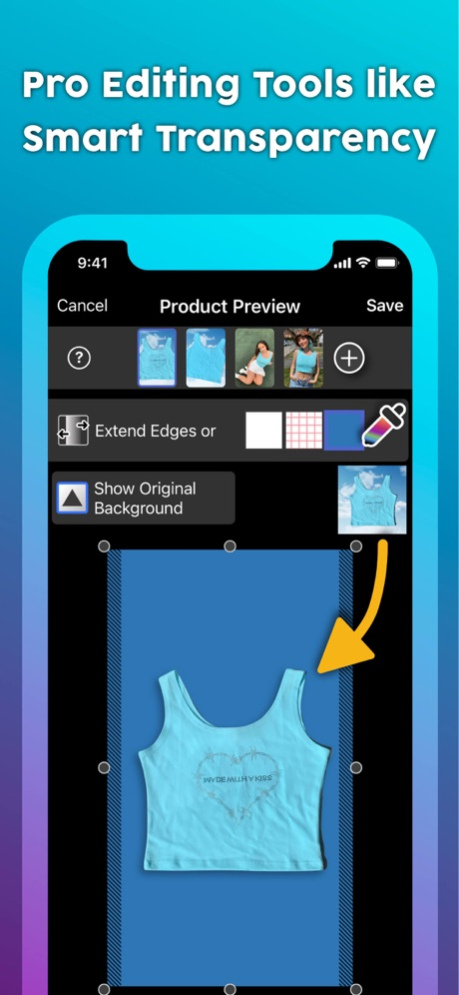
— AI-powered Editing — Edit like a pro with instant transparency, layouts templates, smart cropping and more.
— Save & Reuse — Reuse saved products between multiple outfits.
— Share & Export — Save collages straight to your photo album for easy sharing. Set your account to public and share shoppable outfit links directly.
Save literally hours every week!
Happy styling,
xo The Collag Crew
Dec 30, 2024
Version 1.4.6
Bug fixes
About FitCollage
The company that develops FitCollage is Twin Gear Labs, Inc.. The latest version released by its developer is 1.4.6.
To install FitCollage on your iOS device, just click the green Continue To App button above to start the installation process. The app is listed on our website since 2024-12-30 and was downloaded 0 times. We have already checked if the download link is safe, however for your own protection we recommend that you scan the downloaded app with your antivirus. Your antivirus may detect the FitCollage as malware if the download link is broken.
How to install FitCollage on your iOS device:
- Click on the Continue To App button on our website. This will redirect you to the App Store.
- Once the FitCollage is shown in the iTunes listing of your iOS device, you can start its download and installation. Tap on the GET button to the right of the app to start downloading it.
- If you are not logged-in the iOS appstore app, you'll be prompted for your your Apple ID and/or password.
- After FitCollage is downloaded, you'll see an INSTALL button to the right. Tap on it to start the actual installation of the iOS app.
- Once installation is finished you can tap on the OPEN button to start it. Its icon will also be added to your device home screen.
Program Details
System requirements
Download information
Pricing
Version History
version 1.4.6
posted on 2024-12-30
Dec 30, 2024
Version 1.4.6
Bug fixes
version 1.4.3
posted on 2024-11-30
Nov 30, 2024
Version 1.4.3
Improved security & onboarding
version 1.3.71
posted on 2024-08-26
Aug 26, 2024
Version 1.3.71
Bug Fixes
version 1.3.7
posted on 2024-05-20
May 20, 2024
Version 1.3.7
Improved stability
version 1.3.65
posted on 2024-01-28
Jan 28, 2024
Version 1.3.65
Fixed many long-standing bugs, including streamline & eliminating crashes related to importing from album (especially screenshots).
version 1.3.45
posted on 2023-07-20
Jul 20, 2023
Version 1.3.45
New outfits for summer? Us too. Collag is now FitCollage!
version 1.3.4
posted on 2022-01-17
Jan 17, 2022
Version 1.3.4
Fixed a critical crash.
Disclaimer
Official App Store Link
We do not host FitCollage on our servers. We did not scan it for viruses, adware, spyware or other type of malware. This app is hosted by Apple and passed their terms and conditions to be listed there. We recommend caution when installing it.
The App Store link for FitCollage is provided to you by apps112.com without any warranties, representations or guarantees of any kind, so access it at your own risk.
If you have questions regarding this particular app contact the publisher directly. For questions about the functionalities of apps112.com contact us.
